Know your Max Bid before the hammer falls.
Karflipper adds up repairs, fees, VAT and your margin for any salvage Lot, so you bid with a number, not a hunch.
Max BidBid up to Max Bid
£4,050
- cautious £3,320
- £1,450 above the current bid
- Likely to hammer below your Max Bid
- Bid now
- £2,600
- Likely hammer
- £3,100–£3,900
- Your Max Bid
- £4,050
How the Max Bid is built
Example · 2019 Ford Fiesta · Cat N
- Resale Valuefrom the Lot£7,760
- Repairsfrom Auto Damage Scan− £1,450
- Transportfrom your Base− £180
- Prep and sellingfrom you− £320
- Auction fees + VATfrom fee table− £791
- Your margin, 20%from you− £969
- Max Bid£4,050
Max Bid
£4,050
Bid £2,600: room to bid, £1,450 below your Max Bid
Sign inSign-up opens soon
Why Karflipper
A Max Bid from your own margin
Every figure shows where it came from: DVLA, DVSA, the Lot, or you.
Auto Damage Scan
It marks the damage on the Lot’s photos and prices the repairs, which you can override.
Every car you buy, tracked
Receipts, costs and the Margin you actually made.
On your phone
At your desk, at the yard, during the auction and after you win.
Screenshot a Lot, get its Max Bid
Add a Lot from a screenshot of its auction page. Karflipper reads the details in and works out the Max Bid.
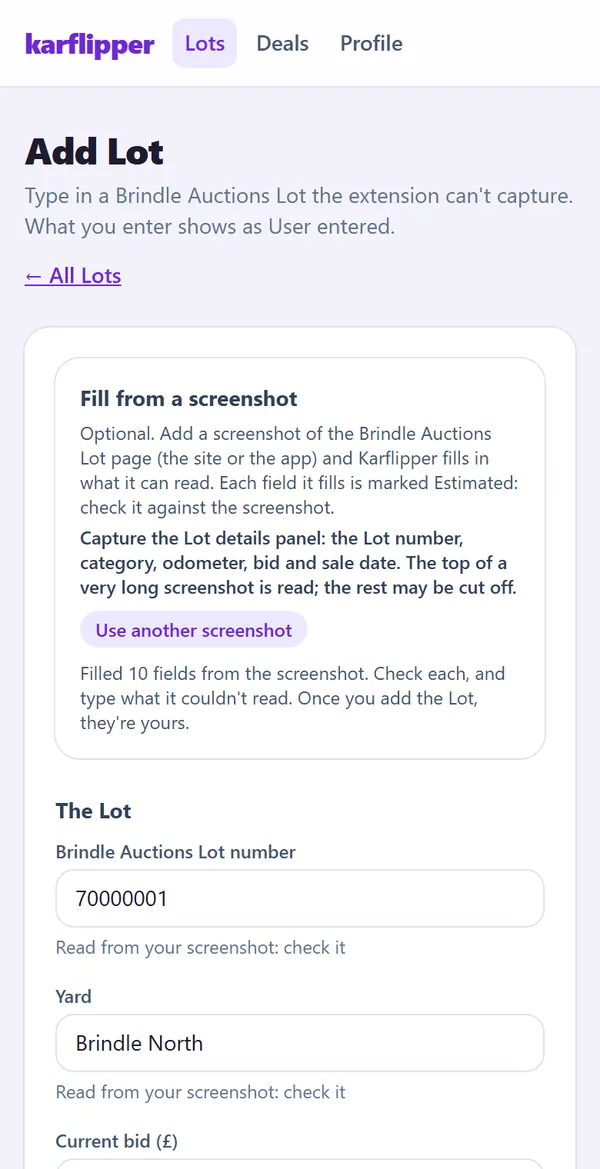
Check your Max Bid at the yard or during the auction
Type the current bid and the card turns green, amber or red.
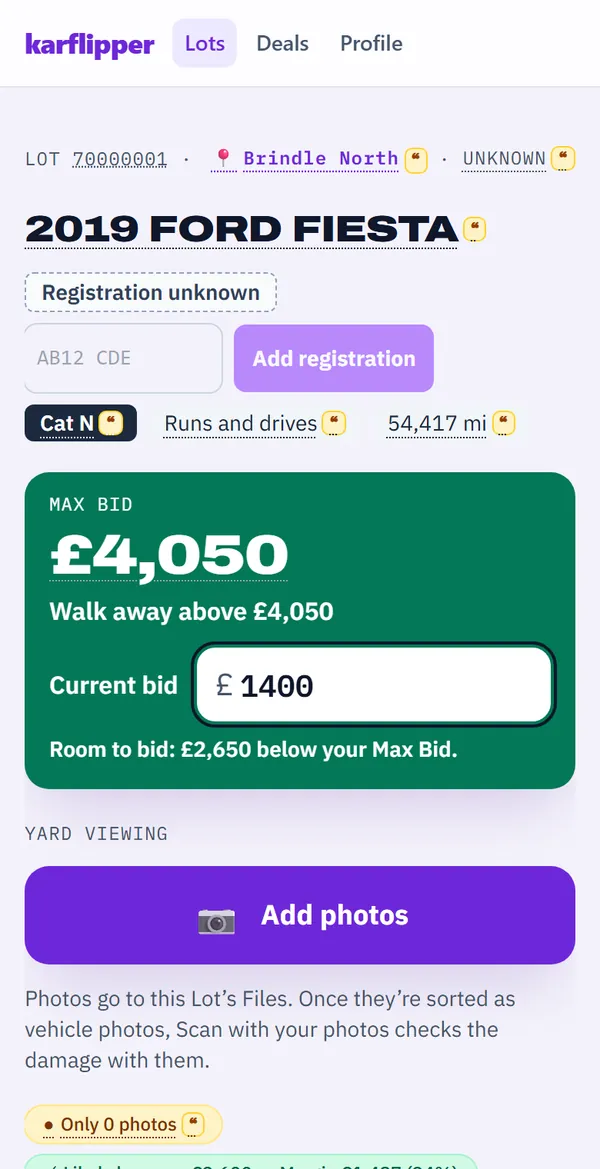
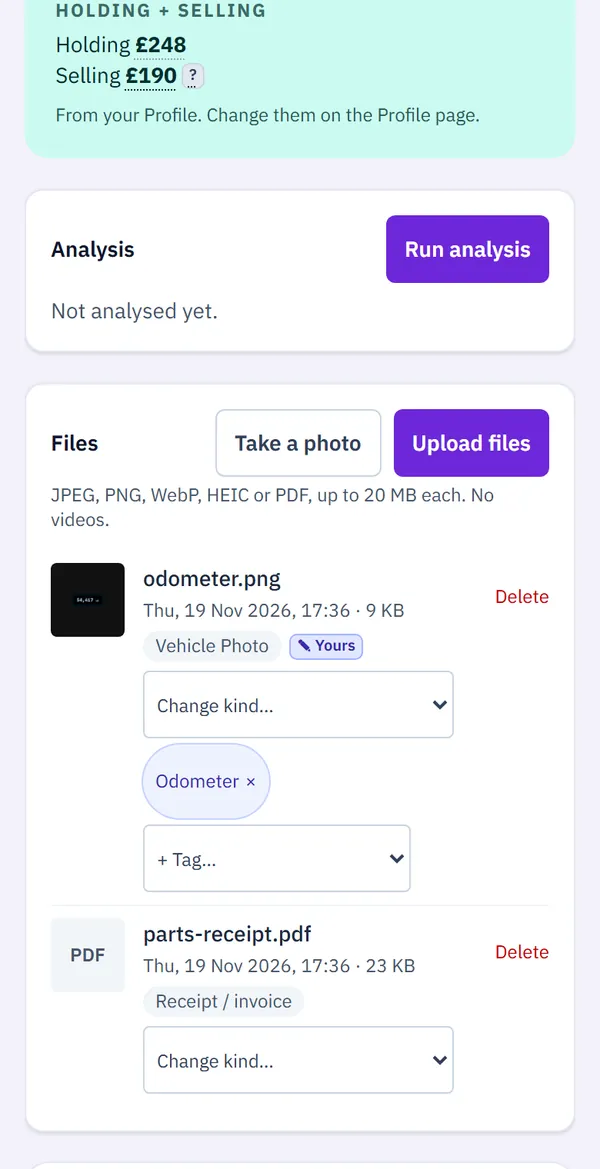
Snap photos, the V5C and receipts straight from your camera
They go to the Lot’s Files, sorted and read for you.
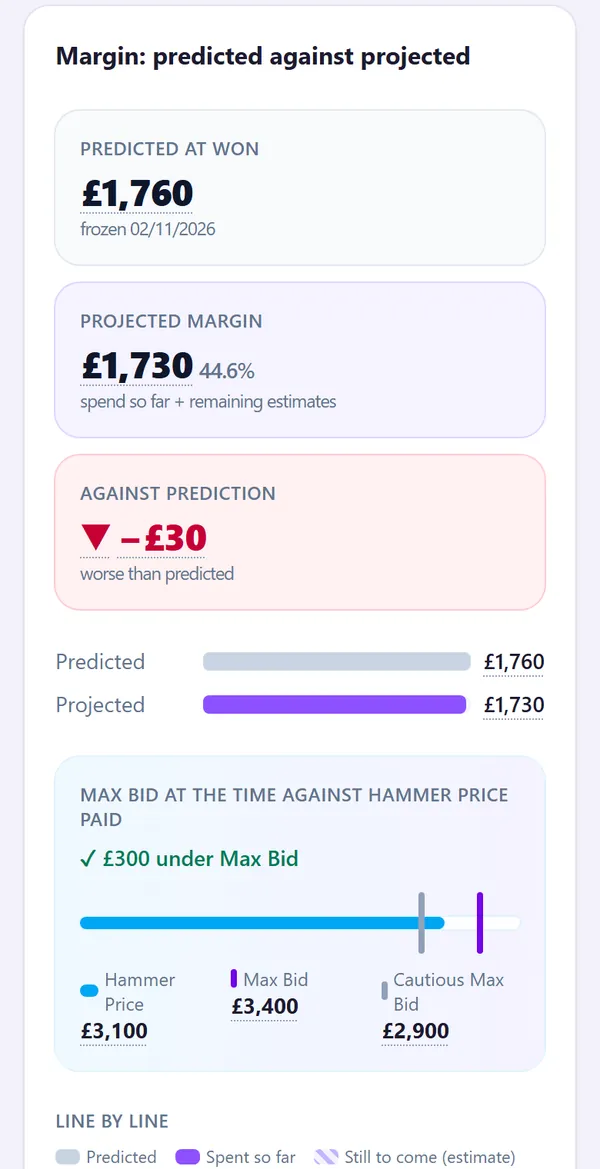
Track each car’s costs and Margin
Every cost against the prediction, from the Hammer Price to the sale.
DesktopOn a computer, the Karflipper extension for Chrome sends a Lot from the auction site in one click.
What it does
Before the auction
Max Bid: worked out from your margin, fees, VAT and repair estimate.
DVLA and DVSA checks: MOT history, mileage and tax status, flagged when they don’t match the Lot.
Auto Damage Scan: the damage marked on the Lot’s photos, each repair priced.
History report reading: upload a report and its write-off, finance and mileage records land on the Lot.
At the yard and during the auction
Add a Lot from a screenshot: the phone’s way in.
Max Bid at a glance: type the current bid and the card turns green, amber or red.
Your own photos: snap them at the yard, then Scan with your photos checks what the Lot’s photos missed.
After you win
Receipts read for you: snap a receipt and its supplier, date and amounts are filled in.
Costs and Margin: every cost against the prediction, and the Margin you actually made.
Records export: your receipts and figures in one download.
Some features use credits, priced at launch.
Pricing
Prices at launch
Free
£0
- 1 active Lot
Pro
£9.99 a month
- 10 active Lots
Trade
£39.99 a month
(£33.33 + VAT)
- 50 active Lots
Buying every week? Pro and Trade hold 10 or 50 active Lots.
On every plan: adding Lots, DVLA and DVSA checks, Max Bid and Margin, Deals and Expenses, and your files.
Prices include VAT.
Sign inSign-up opens soon